
What Does a Small Business Website Actually Need?
A small-business website does not need dozens of pages, complicated animations, or every marketing feature available in WordPress. It needs to explain what the business does, establish enough trust for a potential customer to keep reading, and make the next step obvious. Everything else should support those basic goals.
The right website will look different for a restaurant, contractor, consultant, nonprofit, retailer, or professional service. Some need booking or ecommerce, while others only need strong service pages and a reliable contact form. The useful question is what helps the business communicate clearly and move the right visitor forward.
A Clear Explanation of What the Business Does
A visitor should understand the purpose of the business quickly. The homepage does not need to explain every service immediately, but it should make the overall offer clear enough that someone knows whether they are in the right place. Plain language usually works better than vague slogans or technical terminology. Brand personality can still come through as long as style does not interfere with comprehension.

A Homepage With a Clear Job
The homepage should orient visitors rather than contain the entire website. It normally needs a concise introduction, an overview of the main services or products, trust signals, and clear paths to deeper information. Different visitors may be ready to call, compare providers, or simply learn what the company does, so the page should support more than one path.
Individual Service Pages
Important services usually deserve their own pages. A dedicated page can explain the problem, who the service is for, what is included, and what the customer should do next. These pages also give search engines clearer topical signals and create useful destinations for links from articles. Over time, that creates a more coherent site than putting every service into one short homepage section.
An Easy Way to Contact the Business
Contact information should be easy to find once a visitor decides to act. Phone, email, quote requests, booking, or consultation links should appear in predictable places such as the navigation, header, footer, or service pages. The right options depend on how the business handles enquiries, so booking software or complex forms should only be added when the workflow supports them. Every contact path should also be tested periodically.
A Contact Form That Asks for the Right Information
A contact form should make the first conversation easier without becoming an interrogation. Name, contact information, and a short description are often enough, with extra fields added only when they genuinely help qualify the enquiry. Forms also need reliable delivery to a monitored business mailbox. A well-designed form that quietly sends messages into spam is still a business problem.
Professional Business Email
A domain-based address such as info@company.ca generally creates a clearer business identity than an unrelated consumer account. The domain and mailbox should remain under company control, and someone should know who receives website enquiries and who is responsible for responding. Our guide to setting up business email properly explains the account, domain, and shared-address side in more detail.
A Domain the Business Actually Owns
The business should control the domain used for its website and email. A designer or outside provider can administer it, but ownership should not depend entirely on that person. The company should know where the domain is registered, how renewal and recovery work, and retain enough control to change hosting or email providers later.
Mobile Usability
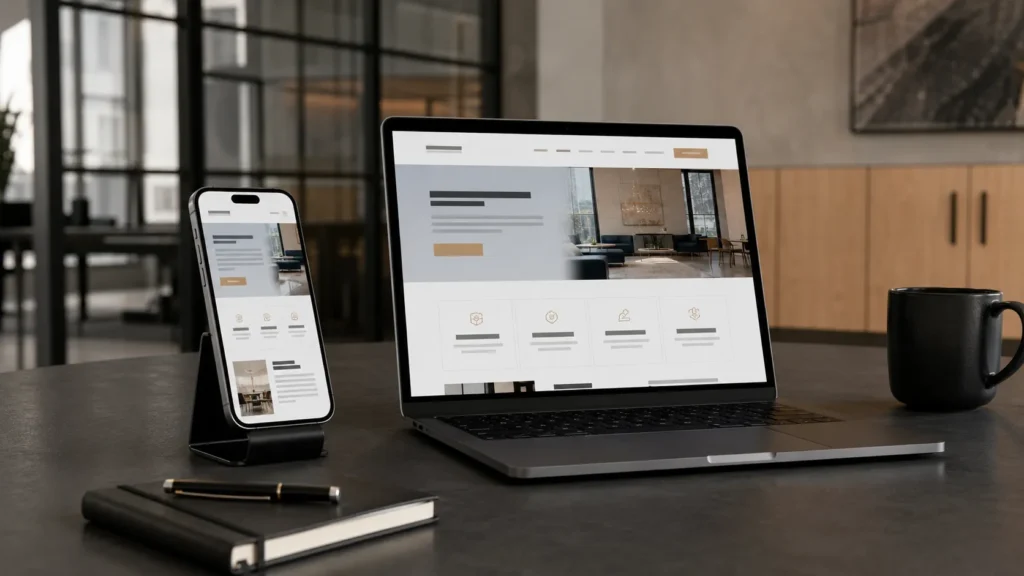
A small-business website needs to work properly on phones because many visitors arrive through search, maps, social media, or recommendations. Mobile design involves more than shrinking the desktop layout, since spacing, buttons, navigation, forms, and text all need to remain comfortable on smaller screens. Test real pages at several breakpoints rather than assuming the website builder handled everything automatically.
Readable Typography
Visitors should be able to read the site comfortably without zooming or struggling with low contrast. Font size, line length, spacing, hierarchy, and contrast all affect how easy the content is to scan. A restrained type system with consistent headings and body copy usually looks more professional than one using too many fonts and weights. Distinction can come from scale and spacing rather than constant stylistic changes.
Strong Visual Hierarchy
A visitor should be able to skim a page and understand what matters most. Headings, spacing, section boundaries, images, and buttons can create that hierarchy without excessive decoration. If every element has equal visual weight, the visitor has to work harder to decide where to look. Good design guides attention calmly.
Real Trust Signals
Reviews, testimonials, portfolio examples, certifications, photographs of real work, and clear company information can all help establish trust. Specific evidence is stronger than generic claims such as “world-class service.” Clear pricing practices, realistic service boundaries, and professional contact information can also build confidence. The website should sound like the business behind it.
An About Page With a Purpose
An About page should help visitors understand who they may be dealing with. For a local small business, a concise explanation of the company’s background, approach, experience, and what customers can expect is usually more useful than a long corporate history. A photograph can help when personal trust matters to the service. The page should support the customer’s decision rather than become a biography for its own sake.
Local Information Where It Is Relevant
A local business should make its service area clear using the city, neighbourhoods, region, or other limits that matter to customers. Local projects, case studies, and articles can reinforce that relevance without repeating the location unnaturally throughout the site. Core business information should remain consistent across the website, Google Business Profile, and other public listings where applicable.
Basic Search Engine Optimization
A small-business site needs a solid SEO foundation without awkward keyword repetition. Important pages should have clear topics, useful titles, sensible headings, descriptive content, appropriate meta descriptions, and helpful internal links. Search visibility is strongest when service pages and articles answer real customer questions. A coherent structure helps search engines and visitors understand what the business offers.
Useful Content Beyond the Main Service Pages
Articles can answer common questions, compare options, explain problems, and clarify when professional assistance may be worthwhile. The content should stay connected to the company’s real services and expertise rather than expanding into unrelated topics merely to publish more. Articles can link naturally to service pages, while service pages can point toward deeper educational resources. That creates a useful content library instead of isolated blog posts.
Fast Enough Page Loading
Visitors should not have to wait several seconds for a simple page to become usable. Oversized images, unnecessary scripts, excessive plugins, complicated animation, and poor hosting can all slow a site, especially on mobile connections. Images should be sized and compressed for the way they are displayed, and performance should be measured rather than judged only from a fast desktop connection.
Reliable Hosting
Hosting should suit the site’s traffic, software, and importance without becoming an unnecessary expense. A brochure site does not need enterprise infrastructure, but poor hosting can create slow response times, outages, and support problems. Support quality and reliability can matter as much as headline specifications. The domain should remain under business control so the site can move later if needed.
HTTPS and Basic Website Security
Modern business websites should use HTTPS, and WordPress or other content-management systems should receive regular updates. Themes, plugins, and administrator accounts need basic maintenance, while unused software and former users should be removed where practical. Strong passwords and MFA should be used where supported. Good website security is largely about maintaining a clean, current environment.
Website Backups
A website should have a recovery copy that can be restored after a failed update, damaged configuration, or hosting problem. For WordPress, that generally means protecting both site files and the database without keeping the only backup inside the same environment. Backup frequency should reflect how often the site changes. Someone should also know where the backups are and how restoration would begin.
Analytics That Answer Useful Questions
Basic analytics can show which pages receive traffic, how visitors arrive, and whether people reach important contact or conversion pages. A small company does not need dozens of dashboards or metrics with no connection to a business decision. Start with a few useful measures and consider privacy when choosing tracking tools. Collect information because it serves a purpose, not because a plugin makes it possible.
A Clear Call to Action
Every important page should give the visitor a sensible next step, such as calling, requesting a quote, booking a consultation, viewing work, buying a product, or reading another guide. The action should fit the visitor’s stage instead of appearing as the same button after every paragraph. Descriptive wording such as “Request a Quote” or “Get Support” is usually more useful than “Click Here.” Good calls to action reduce hesitation without making the page feel aggressive.
Accessibility Basics
Good contrast, readable typography, logical heading order, keyboard-friendly navigation, useful alternative text, and clear form labels make a website easier to use. Many accessibility practices also improve general usability, especially on mobile devices. Legal obligations vary by jurisdiction and organization, so specific requirements should be verified where necessary. Accessibility should be considered during design rather than treated only as a correction afterward.
A Footer That Provides Useful Information
The footer can provide secondary navigation, contact information, service areas, legal links, or other details visitors expect to find. It should reflect the actual site instead of copying a generic template or becoming a directory of every page ever published. A concise footer gives useful information a consistent home without competing with the main navigation.
Privacy and Legal Pages Where Appropriate
Privacy policies, terms, cookie information, accessibility information, or other legal pages may be required depending on jurisdiction, industry, data practices, and site functionality. Forms, analytics, advertising tools, ecommerce, newsletters, and embedded services can all affect what information is collected. These pages should describe the actual website rather than being copied blindly from another business. Specific legal obligations should be verified appropriately rather than guaranteed by the web designer.

Ownership of the Website
A small business should know who controls the domain, hosting, CMS accounts, analytics, search tools, email integrations, and paid licences. Outside designers can manage those resources without becoming the only people capable of accessing them. Clear ownership makes it easier to change providers, recover accounts, or update the site when relationships change. Important credentials should be stored securely rather than living only in an old email thread or browser.
A Maintenance Plan
A website is not finished permanently when it launches. Software receives updates, staff and services change, contact information becomes outdated, and forms or links can fail. WordPress maintenance usually includes updates, backups, security checks, form testing, and occasional performance or content review. Someone should clearly own that responsibility so maintenance is assigned rather than assumed.
Ecommerce and Booking Only When the Business Needs Them
Online stores, booking, customer portals, live chat, memberships, and other advanced features can provide real value when the business is ready to support them. They also create additional maintenance, security, operating costs, and workflow responsibilities. Booking requires accurate availability, ecommerce requires order handling, and live chat requires someone prepared to respond. Start with the core website and add functionality when there is a genuine operational reason.
You Probably Do Not Need Dozens of Plugins
WordPress plugins can add valuable functionality, but every plugin introduces another piece of software that needs updates, compatibility, configuration, and support. Choose established tools with clear jobs and avoid overlapping plugins where the theme or existing system already provides the capability. Remove software that is no longer used. A leaner setup is generally easier to troubleshoot and maintain.
You Do Not Need Constant Redesigns
A professional website does not become obsolete every time a new visual trend appears. Clear typography, good spacing, strong imagery, responsive layouts, and a coherent brand can remain effective for years. Review the site according to usability, performance, content, and whether it still represents the business accurately. Redesign when the existing structure or visual system is genuinely holding the business back, not simply because the site is no longer new.
A Website Should Match the Quality of the Business
A capable business can lose credibility when its website feels abandoned, confusing, or unfinished. The site does not need to look extravagant, but typography, spacing, colour, imagery, navigation, and copy should feel consistent and cared for. Its visual language should also fit the actual company instead of imitating an unrelated startup or large corporation. Good design makes the business look like a strong version of itself.
When Professional Web Design Makes Sense
Professional help becomes more useful when a business needs stronger brand presentation, clearer service architecture, custom functionality, better mobile behaviour, improved search foundations, or a site that has become difficult to maintain. A good project should begin with the audience, services, goals, brand, required functionality, and the way customers are expected to use the site. East Toronto Tech provides thoughtful web design for Toronto small businesses and professionals, including WordPress websites, service-page architecture, responsive design, content structure, cleanup, and performance improvements. The goal is to build what the business genuinely needs rather than adding features for their own sake.
Build the Website Around the Customer’s Next Decision
A small-business website needs fewer things than many companies assume, but the pieces it does need should work well together. Visitors should understand the business and find the right service. They should see enough evidence to trust the company. They should know what to do next. The site should also be fast enough, mobile-friendly, secure, backed up, and under business control.
Start with those fundamentals before adding complicated functionality. Strong service pages, reliable contact paths, readable design, real trust signals, useful content, and clear ownership provide a foundation that can support the business for years. When the structure feels obvious and the technology stays out of the visitor’s way, the website is doing its job.