
Internet Backup Options for a Small Business or Home Office
For a home office or small business, internet access can be one of the most important parts of the working environment. Email, cloud applications, shared files, video calls, payment systems, remote access, and customer communication may all depend on it. When the primary connection fails, even a short outage can interrupt work quickly. A backup connection provides another path online when the main service is unavailable.
That fallback can be as simple as a smartphone hotspot or as involved as a dedicated cellular router, automatic failover, or second wired service. The right option depends on downtime tolerance, number of users, and how important online systems are to daily operations. A solo home office may need very little redundancy, while a small office can justify a more deliberate setup. The goal is continuity without making the network harder to understand or maintain.
Start With How Much Downtime You Can Tolerate
Before choosing hardware, decide what an internet outage actually costs the business. Consider which activities stop when connectivity disappears, including video calls, Microsoft 365, Google Workspace, cloud accounting, hosted phones, payment systems, remote access, and online booking. A business that can work offline for an hour needs a different solution from one where several employees stop working immediately. That downtime tolerance should determine how quickly the backup must become available and how much complexity is justified.
A Smartphone Hotspot Is the Simplest Backup
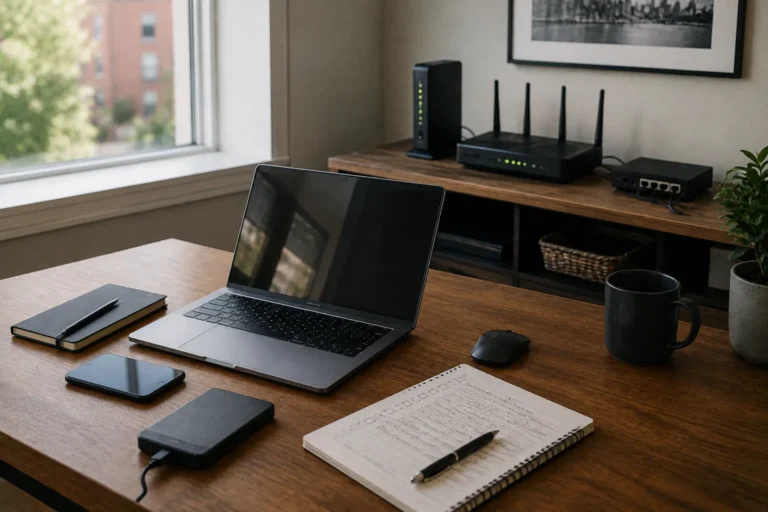
For many home offices, a smartphone hotspot is the easiest backup option. A laptop can connect through the phone’s cellular data service and continue using email, web applications, messaging, and ordinary cloud tools without additional networking hardware. Video calls may also work when signal and capacity are good, although large transfers and high-resolution video can consume substantial data. The main limitation is that someone usually has to enable the hotspot and reconnect manually.

Test the Phone Hotspot Before You Need It
A backup connection is only useful if it works where you plan to use it. Turn on the hotspot during normal conditions, connect the primary work computer, and test the applications that matter, including a realistic video call if conferencing is important. This confirms the actual cellular performance at the workstation rather than relying on signal bars alone. It also makes sure the hotspot password is known and anyone who may need the fallback understands the basic process.
Keep the Phone Powered
A phone serving as an internet connection can use battery power quickly, especially when several devices or demanding applications are involved. If the outage also affects electricity, the same phone may still be needed for calls, messages, authentication, and other communication. Keep it reasonably charged and consider a USB battery pack if it forms part of the continuity plan. Backup internet is only useful while the equipment providing it still has power.
A Dedicated Mobile Hotspot Can Be More Convenient
A dedicated mobile hotspot provides cellular internet without depending on someone’s personal phone. It can remain in the office, stay configured for work devices, and be positioned where cellular reception is strongest. This can be useful when several devices need access or when the backup should remain available regardless of who is present. The tradeoff is another device, data plan, and battery to maintain, so it should solve a recurring need rather than simply add hardware.
Cellular Routers Provide a More Permanent Backup
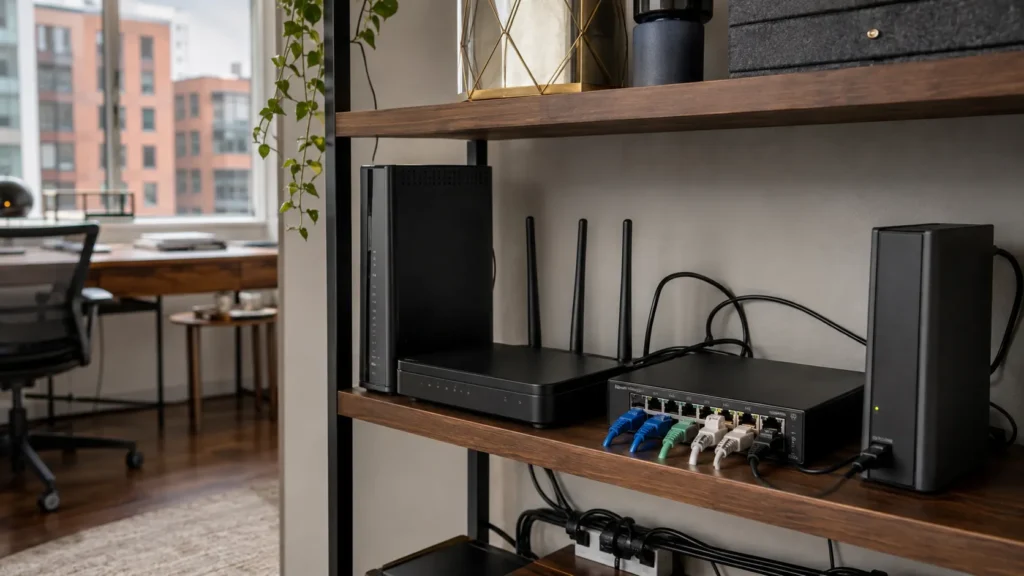
A cellular router makes the fallback connection part of the network rather than a temporary connection for one computer. Depending on the setup, several devices can remain on the same local network while the router changes from the primary service to cellular. This can be valuable when multiple employees need access or manual reconnection would be disruptive. It also adds configuration and maintenance, so someone should understand how to confirm that the cellular service and failover path are still working.
Automatic Failover Can Reduce Downtime
Some routers can monitor the primary internet connection and switch automatically to cellular or another service when it fails. This can reduce interruption for several employees and shared systems such as cloud phones, payment terminals, and browser-based applications. Active calls, VPNs, or other sessions may still disconnect because the underlying internet path changes. Automatic failover therefore reduces manual work but still needs controlled testing and occasional verification.
Manual Failover Can Be Perfectly Good
Manual failover is not inherently inferior when the business can tolerate a short interruption. For a single home-office user, enabling a phone hotspot and reconnecting a laptop may take less than a minute and be easier to maintain than rarely used failover equipment. The steps should still be familiar, tested, and documented if another person might need to use them. Automation becomes more valuable as the number of users and cost of downtime increase.
A Second Wired Internet Connection Offers Stronger Separation
Some businesses may justify two wired internet services, such as fibre from one provider and cable from another. A second wired connection can provide greater capacity than cellular and may integrate well with automatic failover. The important question is whether the services are genuinely independent rather than sharing the same building entry, neighbourhood infrastructure, or upstream equipment. The recurring cost makes sense when the value of avoiding downtime is high enough to justify it.
Two Plans From the Same Provider May Not Be True Redundancy
Adding another plan from the same provider does not automatically create meaningful redundancy. Both connections may depend on the same local fibre, cable plant, provider equipment, or outage domain, allowing one failure to remove both. Evaluate the backup by how differently it can fail rather than by the number of subscriptions. A separate cellular network or genuinely different wired path may provide more practical independence.
Cellular Backup Has Its Own Limitations
Cellular backup usually fails differently from cable or fibre, which is one of its main strengths. Its performance still depends on signal quality, tower availability, congestion, plan rules, and local conditions, and widespread outages can increase mobile-network demand. A connection that normally supports video may become better suited to email, messaging, and lighter cloud work. Design the fallback around essential tasks rather than expecting it to reproduce the primary connection perfectly.
Signal Strength Matters More Than the Device Name
A premium cellular router cannot create good service where the underlying signal is poor. Test the cellular network in the actual office before investing in dedicated equipment because carriers can perform very differently from one building or neighbourhood to another. Basements, dense walls, metal cladding, and some windows can weaken reception, while moving the device higher or closer to a window may help. Confirm the service first, then choose hardware that suits the proven conditions.
Home Offices Usually Need Less Than Small Offices
A single-person home office may need only a battery-powered laptop and a tested smartphone hotspot. A small office with several employees has a different problem because reconnecting every computer manually becomes inconvenient and several people may need cloud services at once. A dedicated cellular router or automatic failover system can provide a shared backup path in that environment. The infrastructure should scale with the people and systems it actually supports.
Think About Which Applications Need to Keep Working
Not every online service deserves equal priority during an outage. Email, cloud documents, customer communication, hosted phones, and payment systems may be essential, while software downloads, large synchronization jobs, and other high-volume traffic can usually wait. Video calls may remain usable on a weaker connection if the camera is disabled, while VPNs or remote sessions may need to reconnect after failover. Test the applications that matter instead of assuming basic web browsing proves the backup can support the workday.
Cloud Applications Can Make Backup Internet More Valuable
Businesses that rely on Microsoft 365, Google Workspace, cloud accounting, browser-based software, and hosted communication tools may recover quickly once another internet path is available. A laptop and working fallback connection can restore email, document editing, invoicing, customer communication, and many administrative tasks even while the primary provider is down. Local systems create additional dependencies because a NAS or other on-site equipment still needs power and network access. Internet redundancy should therefore be considered alongside the rest of the technology environment.
Backup Internet Still Depends on Power
A second internet connection is useless if the modem, router, fibre terminal, switch, or cellular equipment has no power. During a provider outage this may not matter, but during a power failure the backup connectivity and backup power plans must work together. Our guide to keeping home internet working during a power outage explains which local network devices need power and how a UPS can support them. Combining alternate connectivity with appropriate backup power covers more failure scenarios than either measure alone.
Separate Network Backup From the Workstation When Useful
Networking equipment usually draws much less power than a desktop workstation. A dedicated UPS for the modem, router, switch, and cellular fallback can therefore keep the network operating longer than a battery shared with a high-powered computer and monitors. This is also useful when internet equipment is located away from the main desk. Our UPS guide covers runtime, loads, and device selection in greater detail.
Consider Data Limits and Overage Costs
Cellular backup may have different data restrictions from the primary internet service. Video calls, large downloads, operating-system updates, cloud synchronization, and online backups can consume substantial mobile data, while some plans reduce hotspot speed or charge more after a threshold. Verify the actual plan terms rather than assuming an unlimited phone plan provides unlimited tethering. During an outage, pausing non-essential high-volume traffic preserves capacity for the work that matters.
Security Still Matters on the Backup Connection
Using a fallback connection does not remove normal security requirements. Business computers should continue using supported software, sensible firewall settings, strong account protection, multi-factor authentication, and secure Wi-Fi, while hotspots should use an appropriate password. Public Wi-Fi may exist as an emergency option, but it introduces additional privacy, reliability, and logistical concerns. A controlled cellular fallback is generally easier for a business to understand, test, and use consistently.

Test Automatic Failover Under Controlled Conditions
If the network uses automatic failover, verify that it actually switches connections. Perform a controlled test when the business can tolerate a brief interruption and confirm that computers regain access and important applications reconnect. Test the return to the primary service as well because some systems behave differently when switching back. Document enough of the behaviour that someone can recognize when the backup is active and identify when something has gone wrong.
Consider a Backup Provider With a Different Failure Path
When reliable connectivity matters, diversity between technologies and providers can improve resilience. Fibre backed by cellular may fail differently from two fibre services using the same neighbourhood infrastructure, while cable paired with another carrier’s mobile network can offer similar separation. Local infrastructure, cellular coverage, building design, and available providers all affect the result. The useful question is whether the fallback has a reasonable chance of remaining available during the failures most likely to affect the primary service.
Document the Fallback Process
A simple continuity note can save time during an outage. Record what the backup connection is, how it is activated, which equipment must remain powered, and who is responsible for checking it. Keep passwords and recovery credentials in an appropriate password manager instead of ordinary documentation. The process should be clear enough that the business can use the fallback even when the person who originally configured it is unavailable.
Review the Backup When Plans or Equipment Change
Internet backup arrangements can quietly become obsolete as phone plans, SIMs, routers, applications, staffing, and bandwidth needs change. Periodic testing can also uncover weak batteries, changed passwords, altered settings, or cellular coverage that no longer performs as expected. The review can remain simple: confirm the service is active, the equipment powers on, the connection works, and important applications remain usable. Revisit the design after major technology or staffing changes so the fallback reflects the business as it operates now.
When a Second Full Internet Connection Makes Sense
Paying for two wired services can make sense when downtime has a meaningful operational cost. A business relying on constant customer communication, cloud systems, hosted phones, online payments, or several connected employees may benefit from the additional capacity and faster failover. The value still depends on genuine diversity between the connections, because shared infrastructure can undermine the redundancy. For many smaller businesses, cellular remains the more economical second path unless a full secondary service solves a clear continuity requirement.
When Professional Internet Redundancy Planning Makes Sense
Backup internet becomes more complicated when several employees, cloud phones, VPNs, payment systems, shared services, or multiple network devices are involved. A useful review should begin with downtime tolerance, critical applications, existing internet service, cellular coverage, and the hardware already in place before recommending new equipment. East Toronto Tech provides internet-resilience and home-office technology support for Toronto professionals and small businesses, including connectivity reviews, cellular fallback testing, critical-network identification, and backup internet planning. The objective is a fallback that supports the actual work without creating unnecessary complexity.
Choose the Simplest Backup Connection That Meets the Need
A backup internet connection does not need to duplicate the primary service perfectly. It needs to keep important work moving when the normal connection is unavailable, whether that means a smartphone hotspot for one person or cellular failover or a second provider for a larger office. Start with the number of users, services that must remain online, acceptable downtime, signal, power requirements, data limits, and who will maintain the setup. When the fallback is simple enough to test and understand, an internet outage becomes a manageable interruption rather than an automatic stop to the workday.