
What Happens to Your Technology When the Power Goes Out?
When the power goes out, technology does not all fail in the same way. A desktop computer may shut down immediately, a laptop can continue on battery, a Wi-Fi router usually goes dark, and cloud services may remain available even though you can no longer reach them. Understanding those differences makes it much easier to decide what actually needs backup power.
For a home office or small business, the main issue is often the chain of dependencies the outage interrupts. Computers need power, internet access depends on networking equipment, shared files may live on local storage, and cloud applications require a working connection. A useful resilience plan looks at those dependencies individually instead of trying to keep every device in the room powered.
Desktop Computers Shut Down Immediately
A typical desktop computer has no internal battery, so utility power loss usually shuts it down immediately unless it is connected to a UPS or another suitable backup source. Unsaved work can be lost, and applications do not have the opportunity to close normally. Files actively being written, databases, or applications performing updates may be more vulnerable than ordinary idle documents. A UPS gives the computer time to continue briefly or shut down properly, which is usually more useful than trying to run the desktop for hours.
Laptops Usually Keep Running
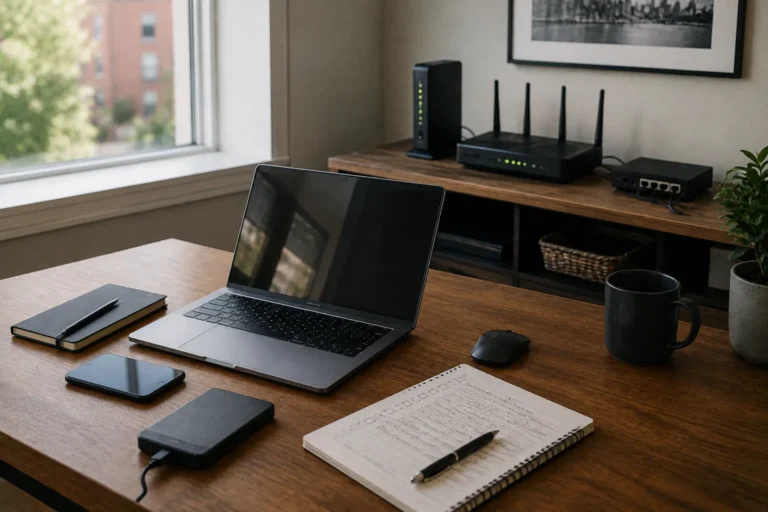
Laptops have an obvious advantage during an outage because their internal battery takes over automatically when utility power disappears. If the battery is healthy and charged, the computer itself may continue working without interruption. External monitors, docks, speakers, printers, network storage, and other accessories may still shut down, but the laptop can usually fall back to its built-in display and keyboard. The more important question becomes whether the internet and any local systems required for work remain available.
External Monitors Go Dark
Most external monitors shut off as soon as utility power disappears. For a desktop user, losing every display can make the workstation unusable even if the computer itself remains on a UPS. One primary monitor is often worth including on battery-backed power, while additional screens can usually remain off to preserve runtime. Laptop users can normally fall back to the built-in display, reducing how much UPS capacity is needed at the desk.
Your Wi-Fi Router Usually Stops
A Wi-Fi router requires electricity just like a computer, and when it shuts down the wireless network normally disappears. The router may not be the only device involved because cable modems, fibre terminals, switches, mesh nodes, and access points can all sit in the connection path. If any essential device loses power, part or all of the local network can stop working. A small UPS can often keep this equipment operating for a useful period because networking devices generally draw relatively little power.
Your Internet Provider May Still Be Online
A local power outage does not automatically mean the internet provider has lost service. Cable, fibre, and other networks may have their own backup systems, so internet access can sometimes continue if the modem and router inside the home remain powered. Provider backup batteries can eventually be depleted, or upstream equipment can fail during a wider outage, so continued service is never guaranteed. A UPS solves only the local power problem, while another connection path is needed if continued internet access is important enough to justify one.
Mesh Wi-Fi Can Lose Coverage
Mesh Wi-Fi systems normally contain several powered nodes around the home. During an outage, any node without backup power will stop operating, so the main router may remain online while coverage disappears in other rooms. That does not mean every mesh node belongs on a UPS because maintaining one reliable connection near the home office may be enough. Supporting only the coverage that matters can extend battery runtime and keep the backup arrangement simpler.

Network Switches Can Become Hidden Failure Points
A network switch can become an easy-to-miss dependency in a larger home or small office. If a switch in a basement, utility room, or equipment cabinet loses power, every wired device connected through it can become isolated even while the router looks healthy. Wi-Fi may continue while Ethernet-connected computers, printers, access points, or storage disappear, which can make the failure confusing. A simple network map showing the devices between the provider and the workstation can reveal where backup power is actually useful.
A NAS May Shut Down Abruptly
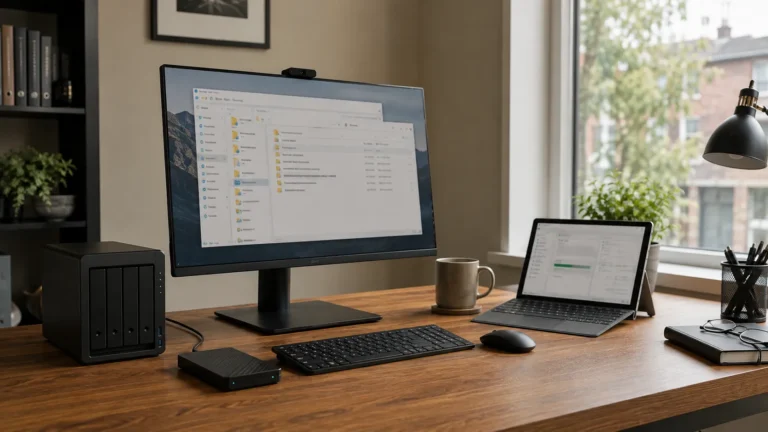
A NAS, or network-attached storage device, may be actively reading or writing files when power disappears. An abrupt shutdown can interrupt those operations and may require a file-system check or other recovery process when power returns. A compatible UPS can allow the NAS to continue briefly or shut down cleanly, and some business-oriented units can automate that process when battery power becomes low. A UPS still does not replace backup because important files on the NAS should exist in another independent location.
External Drives Can Be Interrupted Too
External hard drives and SSDs also depend on power from the computer or their own adapter. If a computer loses power while a backup or file transfer is running, the operation may stop before it completes. A drive receiving active backups deserves more attention than one used only for occasional storage, and appropriate UPS power can sometimes allow the process to stop normally. The drive remains physical hardware that can fail or be affected by the same event as the computer beside it, so independent copies still matter.
Printers Usually Stop Immediately
Most printers shut down as soon as utility power disappears, but for many businesses that is inconvenient rather than critical. Keeping a printer running is rarely the best use of limited UPS capacity when computers, networking equipment, or storage are more important. Laser printers are particularly poor candidates for battery-backed outlets because their fusers can draw substantial power and may overload or dramatically shorten UPS runtime. Follow the UPS manufacturer’s guidance and leave printing until normal power returns unless there is an unusual operational requirement.
Scanners and Other Peripherals Usually Have Lower Priority
Scanners, speakers, docks, webcams, charging stations, and other peripherals may also stop during an outage. Their importance depends on the work, and a docking station can be more significant than it first appears because it may provide Ethernet, displays, storage, and other connections to a laptop. That does not automatically mean every peripheral belongs on battery power. Decide whether the computer can continue productively without it and reserve UPS capacity for the minimum equipment needed to keep important work moving.
Cloud Services Usually Keep Working
Microsoft 365, Google Workspace, cloud accounting, web applications, and hosted email normally continue operating independently of a local power outage. The problem is often that the home or office temporarily loses the device, network, or internet connection needed to reach them. A charged laptop with working internet may therefore regain much of the normal working environment even while local equipment remains off. This is one reason cloud-based work can be surprisingly resilient when connectivity and account access remain available.
OneDrive and Google Drive May Continue on the Laptop
Files already synchronized locally through OneDrive or Google Drive may remain available on a laptop even when internet access disappears. Changes can usually synchronize later when connectivity returns, but cloud-only files may not be available offline. A folder appearing in File Explorer does not necessarily mean every file has been downloaded to the device. Our guide to whether OneDrive or Google Drive is a backup explains why synchronization can improve resilience without replacing a complete backup strategy.
Video Calls Can Fail in Several Different Ways
An active video meeting depends on the computer, camera, microphone, local network, and internet connection all continuing to work together. A laptop may stay powered while the router shuts down, or a battery-backed router may stay online while the provider loses service upstream. The visible symptom can be the same even though the failure is happening in a different place. Battery-backed networking equipment and a tested cellular hotspot provide useful fallback options, while our guides to video-call reliability and backup internet cover the wider setup.
Hosted Phones May Depend on the Internet
Many small businesses use VoIP or other internet-based phone services. Desk phones can depend on both electrical power and internet access, and power-over-Ethernet phones may rely on a network switch for their electricity. Keeping the phone operational may therefore require backup power for the switch, router, and internet equipment as well as the phone itself. Mobile phones provide a useful independent fallback when the office phone system becomes unavailable.
Payment Systems Can Be Affected
Point-of-sale terminals and online payment systems may depend on both electricity and internet access. The payment processor can remain fully operational elsewhere while the local terminal is unavailable because it has lost power or connectivity. Some devices have batteries, cellular connections, or supported offline features, but the exact behaviour varies and should be confirmed with the provider. A business that depends on payments should know what its approved fallback process is before an outage occurs.
Security Cameras and Smart Devices May Go Offline
Security cameras, smart locks, doorbells, hubs, sensors, and other connected devices often depend on both household power and networking equipment. Battery-powered devices may continue operating while losing internet access, while wired cameras can shut down entirely if their power source disappears. Keeping the router online does not help a camera whose own power supply has failed, and a battery-powered camera may still record locally even without internet. Manufacturer documentation should guide planning because wireless communication and battery operation are separate characteristics.
Smart Home Equipment Can Behave Differently After Power Returns
Technology can continue behaving oddly for several minutes after utility power returns. Routers, switches, smart hubs, computers, and other equipment may restart at different speeds, so a Wi-Fi network can reappear before the modem or fibre terminal has restored internet access. Give systems a reasonable amount of time to reconnect before changing settings or repeatedly restarting devices. If service does not return, troubleshoot the connection chain methodically instead of resetting several components at once.
Sudden Power Restoration Can Create Its Own Problems
When power returns, many devices and appliances may start at roughly the same time. Normal equipment should generally handle ordinary power restoration, but damaged wiring, unstable voltage, or repeated electrical problems deserve caution. A UPS may help with some voltage variation and surge protection, but no ordinary consumer device provides absolute protection from severe electrical events. Overheating outlets, repeated breaker trips, burnt smells, or signs of damaged wiring should be assessed by a qualified electrician rather than treated as an IT problem.

Battery Backup Does Not Mean Unlimited Runtime
A UPS stores a finite amount of energy, and runtime falls as more equipment is connected. A modem and router may run for a long period on a modest unit, while a desktop computer and several monitors can drain the same battery much faster. This is why the backup plan should focus on critical devices and why separate UPS units can make sense when networking equipment and workstations have very different requirements. Runtime should be checked against manufacturer information and tested periodically because batteries lose capacity as they age.
Portable Power Stations Serve a Different Role
Portable power stations often contain much more stored energy than a conventional computer UPS. They may run laptops, networking equipment, lights, and selected devices for longer periods, and some support charging from vehicles, solar panels, or other sources. Their transfer behaviour varies, so they should not automatically be assumed to provide the immediate switchover expected from a computer UPS. The two technologies can complement each other, with a UPS handling the first moments of an outage and a larger battery becoming useful if the interruption continues.
Backup Internet Is Useful When the Provider Fails
If the wired internet provider stops working, a cellular connection can provide another path online. A smartphone hotspot is the simplest option, while a dedicated hotspot, cellular router, or automatic failover setup can serve users with more demanding requirements. Cellular service has its own dependencies and may become congested during widespread outages, so it should be treated as an independent path rather than a guaranteed replacement. Our guide to internet backup options for a small business or home office compares these approaches in more detail.
Data Backup Still Matters During a Power Outage
Keeping equipment powered does not protect information from every kind of failure. A UPS can prevent an abrupt shutdown while doing nothing about a failed drive, deleted folder, corrupted database, compromised account, or stolen computer. Important business information should still exist in independent copies using local backup, cloud backup, appropriate synchronization, or other methods that fit the environment. Our guide to the 3-2-1 backup rule explains one useful framework, while recovery testing confirms that those copies can actually be used.
Decide What Actually Needs to Stay On
Trying to run the entire office through a power outage becomes expensive and shortens battery runtime quickly. Most businesses do not need every monitor, printer, speaker, scanner, television, charger, and accessory operating at once. Start with communication, access to important data, internet connectivity, and the minimum workstation equipment needed for essential work. If a device can remain off for a few hours without affecting important work, it probably deserves less backup-power priority than the equipment supporting critical tasks.

Have a Plan for Longer Outages
A UPS is well suited to short interruptions, but a longer outage eventually becomes a continuity problem rather than a simple battery problem. The business may need to switch to laptops, reduce electrical loads, use cellular internet, relocate temporarily, or stop some activities until utility power returns. Lighting, heating or cooling, accessibility systems, phone charging, and the usability of the workspace can eventually matter as much as computers and networking. Our guide to simple business continuity planning looks at how these broader dependencies fit together.
Test the Critical Pieces Before an Outage
A controlled test can reveal whether the resilience plan behaves the way you expect. Follow manufacturer procedures to confirm that critical computers and networking equipment remain powered, then test the backup internet connection separately and make sure important work applications remain usable. Check battery condition and realistic runtime because a UPS or portable battery can appear normal while providing much less capacity than when it was new. Testing should happen during a non-critical period and should avoid deliberately interrupting systems where data could be damaged.
Document the Power-Outage Priorities
A short written plan can make an outage much easier to manage. Identify which equipment is on UPS power, which devices should be shut down first, how the internet fallback works, and who is responsible for checking critical systems. Include useful vendor contacts and equipment locations while keeping passwords and recovery credentials in an appropriate password manager rather than ordinary notes. Someone other than the person who designed the setup should be able to understand the basic process.
When Professional Power-Resilience Planning Makes Sense
A straightforward home office may need little more than a UPS for networking equipment and a laptop with a healthy battery. Planning becomes more involved when there are high-powered desktops, network storage, several employees, multiple access points, hosted phones, specialized equipment, or a strong need to remain operational. East Toronto Tech provides technology-resilience support for Toronto home offices and small businesses, including reviews of critical equipment, UPS coverage, internet fallback, backup dependencies, and continuity planning. Electrical work itself should still be handled by a qualified electrician where required.
Understand the Chain Before You Add Backup Power
When electricity disappears, some technology stops immediately while other systems remain available. Desktops, routers, monitors, switches, printers, and local storage generally depend on external power, while laptops, phones, and many cloud services can continue in different ways. The disruption comes from the way those systems depend on one another rather than from every device failing at once.
Start by identifying which devices and services are required for the work that matters most. Keep critical local equipment powered where it provides real value, maintain another internet path when downtime justifies it, and protect important data independently. A tested and understandable setup turns a short power outage into a controlled interruption instead of a confusing chain of technology failures.