
How to Keep Your Home Internet Working During a Power Outage
A power outage does not always mean your internet service has stopped. The provider may still be online while the modem, router, or other equipment at home has lost power. If those devices stay running, the internet may continue through part of the outage.
That makes home internet resilience partly a power problem and partly a connectivity problem. A UPS can keep local equipment alive, but it cannot guarantee that the provider’s infrastructure outside the home will remain online. A complete plan considers both sides of the connection and another path online when continued access matters.
Start With the Equipment Inside Your Home
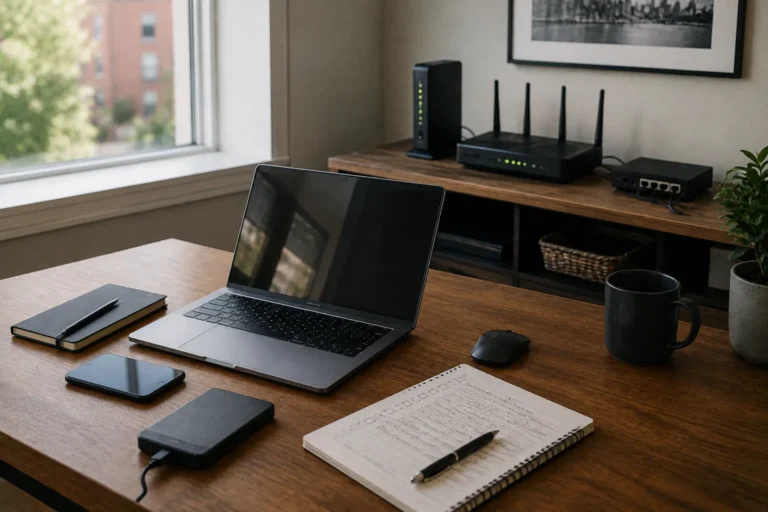
Your internet connection usually depends on more than one device. The modem or fibre terminal receives the provider’s service, while the router creates the local network and Wi-Fi used by computers, phones, and other devices. Some homes use a combined modem-router, while others have several separate pieces of equipment.
Every device in that connection chain needs power. If the router goes dark, Wi-Fi disappears, while a powered router cannot provide internet if the modem or fibre terminal has shut down. Identify which devices form the connection before choosing backup power. Knowing what must stay powered makes it easier to decide whether a UPS is worthwhile.
A UPS Can Keep the Local Network Running
A small UPS can often keep networking equipment running during short outages. Modems, routers, fibre terminals, and small switches use much less power than a desktop computer or monitor. A modest unit may therefore provide useful runtime when dedicated mainly to networking equipment.
The UPS does not create internet service. It keeps local equipment powered long enough to use whatever service is still available from the provider. If the upstream network remains operational, the connection may continue normally. Our guide to UPS battery backup for home offices explains sizing, runtime, batteries, and appropriate loads in more detail.
Keep the Modem and Router on the Same Backup Plan
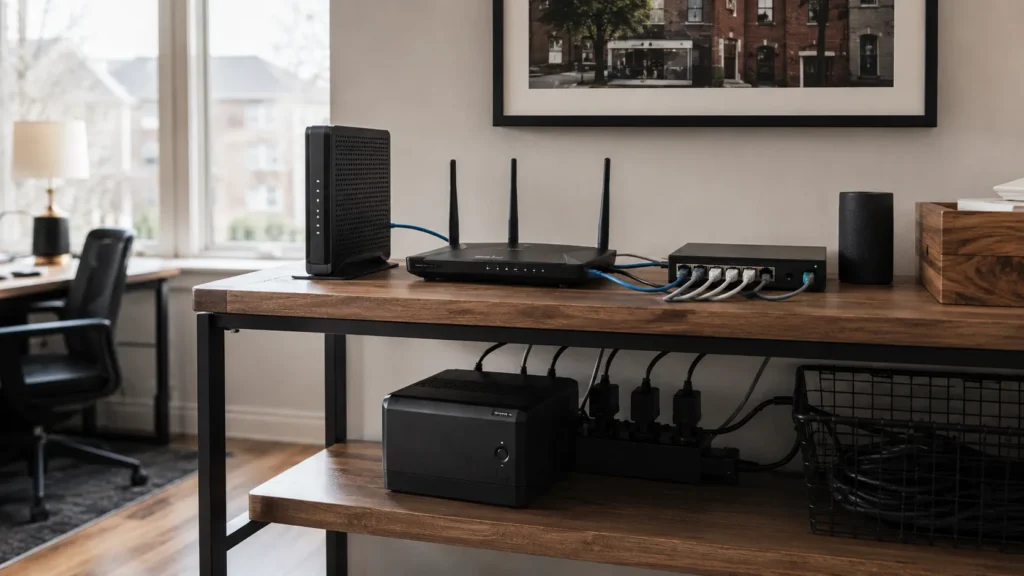
Backing up only the router can create a false sense of resilience. The router may continue broadcasting Wi-Fi, but there may be no connection beyond the house if the modem or fibre terminal has lost power. All critical pieces of the local internet chain need to remain powered.
In a simple setup, that may mean one modem-router device. In another home, it could include an optical network terminal, separate router, mesh controller, network switch, or access point. You do not necessarily need to keep every mesh node alive during an outage. Supporting only the equipment needed for useful coverage can preserve more battery runtime.
Fibre Connections Can Still Depend on Local Power
Fibre internet can seem less dependent on household power because the signal travels over fibre rather than electrical wiring. The equipment that converts the fibre connection into usable networking still requires electricity. This is often an optical network terminal, gateway, or similar device.
If that equipment loses power, the fibre service cannot be used inside the home even if the provider remains online. Keeping the terminal, router, and necessary networking equipment on backup power can therefore matter. Some installations include battery support, but do not assume it exists or still works. Identify the actual equipment and verify how it behaves without utility power.
Cable Internet Has the Same Basic Dependency
Cable internet also depends on powered equipment inside the home. The modem and router must remain running, and any active equipment between them and your devices also needs power. A UPS can support those local components during an outage.
The provider’s neighbourhood infrastructure has its own power requirements. Some equipment may have backup power, while other parts may go offline during a wider outage. Local backup power improves the chances of staying connected without guaranteeing it. It removes one failure point while leaving the provider side as a separate dependency.
Test the Setup Before an Actual Outage
A backup plan is easier to trust once tested. Follow the UPS manufacturer’s recommended procedure and confirm that the modem, router, and other critical networking equipment remain powered. Check whether devices stay connected and internet access continues.
Testing can also expose hidden dependencies. A switch, power injector, fibre terminal, or mesh controller may shut down even while the modem and router remain online. Those gaps are easier to find during a controlled test than during an outage. Use built-in UPS test features or the manufacturer’s instructions rather than improvising.
Give Networking Equipment Its Own UPS When It Makes Sense
A dedicated networking UPS can be useful when the modem and router are far from the main workstation. Internet equipment may sit near the service entrance, in a utility area, beside a television, or in another room entirely. Trying to power everything from one UPS can be awkward and may reduce useful runtime.
A network-only UPS can often run much longer because the load is light. The workstation can use its own UPS if needed, preventing a desktop from draining the battery that keeps the internet alive. More equipment is not automatically better. A second UPS makes sense when it solves a real location, runtime, or load problem.
Keep the Load Focused
The easiest way to shorten backup runtime is to connect equipment that does not need to stay powered. A UPS for internet access should focus on the modem, router, required fibre equipment, and any essential switch or access point. Televisions, speakers, printers, and other non-critical devices can usually wait.
Keeping the load small improves runtime and keeps the UPS purpose clear. A network-only UPS may continue long after a workstation UPS shuts down. That is especially useful for laptops, phones, and tablets with their own batteries. A focused setup usually provides more value than trying to support every normal convenience.
Your Laptop May Already Solve Half the Problem
A laptop has built-in battery power, which gives it an immediate advantage during an outage. If the home internet equipment is also on a UPS, the working setup may continue without interruption. This can be enough to finish a video call, send important files, or keep working while waiting to see whether utility power returns.
Desktop users need battery backup for the computer itself if they want to continue working. At least one monitor may also be needed, which increases the load and can make a separate network UPS useful. Laptop users may lose external monitors and docks, but the built-in display remains available. Decide which parts of the workstation genuinely need backup power.
Wi-Fi Can Keep Working Even When the Rest of the House Is Dark
If the router and required networking equipment remain powered, Wi-Fi can continue operating normally during a power outage. Phones, tablets, and battery-powered laptops can stay connected even while the lights are off. For a short interruption, this can make the outage much less disruptive.
Mesh Wi-Fi changes the picture because individual nodes stop working unless they also have power. Full-house coverage may not be necessary, and one main access point near the office may be enough. Runtime improves when backup power focuses on the areas that actually need connectivity. The goal is useful coverage rather than preserving the full normal network.
The Provider Can Still Go Offline
Keeping local equipment powered only solves the part of the problem inside the home. A wider outage can affect neighbourhood infrastructure, fibre cabinets, cable systems, wireless equipment, or other components outside your control. The internet may therefore stop even though the modem and router remain powered.
Service may continue at first and disappear later as provider backup power is exhausted, or it may fail immediately. No device inside the home can guarantee the primary provider remains online. If continued access matters, another connection path is more useful than trying to make one service impossible to fail. That is where cellular or another independent connection becomes relevant.

Use Your Phone as a Simple Backup Connection
A smartphone hotspot is one of the easiest fallback options for a home office. If home internet fails while cellular service remains available, a laptop can connect through the phone and continue using email, cloud applications, and messaging. For occasional outages, this may provide enough redundancy.
Hotspot performance depends on signal, congestion, the phone, and the data plan. Video calls and large transfers can consume substantial data, so understand the limits beforehand. Keep the phone charged and test the hotspot before it is needed. Confirming that the laptop can connect removes uncertainty during an outage.
Cellular Service Is Not Guaranteed Either
Cellular networks also depend on power and infrastructure. Towers often have some form of backup power, but a large or prolonged outage can still affect service. Heavy usage during a widespread event may also reduce performance as more people move to mobile data.
A cellular hotspot is another independent path rather than an absolute guarantee. Its value comes from failing differently from the wired connection. If cable or fibre is unavailable while cellular service remains healthy, the backup becomes useful. Independent systems reduce the chance that one event removes every option at once.
A Dedicated Cellular Backup Can Be More Convenient
Some home offices or small businesses may justify dedicated cellular backup instead of relying on a phone. This could involve a hotspot device, cellular router, or equipment capable of switching to a second connection. The backup can then remain part of the infrastructure rather than depending on someone enabling a phone hotspot manually.
This adds cost and configuration, so it should solve a real business problem. Occasional short outages may be handled well by a smartphone, while a business dependent on continuous cloud access may value a more automatic arrangement. Article #19 in this series looks more closely at internet backup options for small businesses and home offices. The choice depends on how important connectivity is and how much interruption is tolerable.
Automatic Failover Is Useful but Not Always Necessary
Some routers can monitor the primary connection and automatically switch to cellular or another internet service when it fails. When configured properly, this can reduce downtime and remove the need to reconnect devices manually. It can be particularly useful where several people depend on the same network.
Automatic failover still requires a working secondary connection and compatible equipment. It also adds configuration and another layer to troubleshoot. For a simple home office, a manual hotspot may be easier to maintain. The best design is the simplest one that meets the real continuity requirement.
Keep Phones, Laptops, and Hotspots Charged
Internet redundancy becomes less useful when the battery-powered devices needed to use it are nearly empty. Laptops, smartphones, and dedicated hotspots should have enough charge to carry through a reasonable interruption. Regular charging is one of the simplest parts of a resilience plan.
A USB battery pack can extend a phone or hotspot, while a portable power station may help during longer outages. These serve a different role from the immediate protection of a conventional UPS. Do not wait for an outage to discover that a backup battery has been sitting discharged for months. Portable power equipment needs occasional attention if you expect to depend on it.
Think About How Long You Really Need Internet Access
The right solution depends heavily on how long you need to remain connected. If the main concern is a five-minute power flicker, a modest UPS may solve almost the entire problem. Continuing to work through several hours without utility power requires more battery capacity and potentially another internet connection.
Longer outages affect more than networking. Computers, monitors, lighting, phone charging, and other parts of the workspace can become limiting factors. Internet continuity then becomes one part of a broader power-resilience problem. Define the goal before buying hardware so the solution matches the interruption you are preparing for.
Video Calls Need More Than a Working Connection
A powered modem and router can keep the network available, but a reliable video call still needs enough bandwidth, acceptable latency, and a functioning computer and audio setup. A cellular fallback may behave differently from the normal connection. Video quality can drop if the backup has limited capacity or weak signal.
For an important call, clear audio may matter more than high-resolution video. Turning off the camera can reduce bandwidth if the fallback connection is struggling. Our guide to making video calls more reliable at home covers the wider conferencing setup. Power backup and internet redundancy support that system but do not replace good Wi-Fi or suitable equipment.
Cloud Work Can Be Surprisingly Resilient
Many modern home offices rely heavily on cloud applications. Email, shared documents, Microsoft 365, Google Workspace, accounting platforms, project tools, and communication systems may remain fully available even when the home loses utility power. The main challenge becomes keeping a working device connected to them.
A charged laptop, battery-backed router, and working internet connection can preserve much of the workday. Large monitors and printers may disappear while essential work continues. Local applications or network storage may become unavailable if their equipment shuts down. The continuity plan should reflect which systems the work actually depends on.
Do Not Forget Network Storage
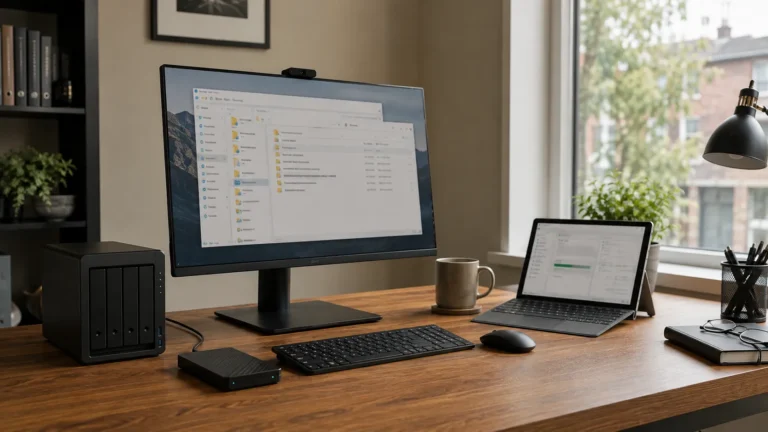
A NAS or other local storage device may be part of the home-office network. If it loses power while the modem and router remain online, cloud services may continue working while local shared files become unavailable. A UPS can keep network storage running briefly or give it time to shut down safely.
Keeping a NAS running consumes more battery than supporting only a modem and router. Decide whether immediate access is necessary or whether a controlled shutdown is enough. The answer depends on how the files are used and the expected outage duration. Power protection still does not replace independent data backup.
Watch for Equipment Hidden Elsewhere in the Network
Some home networks contain devices that are easy to forget. An Ethernet switch in a basement, a power-over-Ethernet injector, a mesh node, or a small network cabinet may sit between the internet connection and the home office. If one of those devices loses power, part of the network can disappear even while the main router remains online.
This matters especially in larger or carefully wired homes. The router may stay online while an upstairs Ethernet connection fails because a switch elsewhere lost power. A simple network diagram can make the dependency clear. It only needs to show which devices connect the provider to the workstation.
Surge Protection and Backup Power Are Different
Many UPS units include surge protection, but surge protection alone does not keep equipment running when utility power fails. A surge protector can help with certain electrical events while providing no stored energy. A UPS contains a battery that can supply power for a limited period.
The distinction matters when protecting networking equipment. A router on a surge protector still shuts down when utility power disappears. If continuity is the goal, battery-backed power is required. Damaged wiring or unsafe electrical conditions still require appropriate electrical attention.

Test the Cellular Backup Too
People often test the UPS and forget to test the second internet connection. A hotspot or cellular router is useful only if the computer can connect to it and important applications work well enough to keep the user productive. Perform a basic test while the primary internet connection is still available.
Try email, web access, and the cloud tools that matter most. If video calls are important, test one under realistic conditions. This can reveal data-plan limits, weak signal, or configuration issues before an outage. The objective is not to benchmark the connection but to know what it can support.
Write Down the Fallback Steps
A continuity plan does not need to be complicated. A short note can explain which UPS supports the network, how long it runs, how to activate the phone hotspot, and what to do if primary internet fails. This is especially useful when more than one person uses the home office.
Keep the instructions simple enough to follow without troubleshooting expertise. Include useful device or account information without storing passwords insecurely, and manage credentials appropriately. A documented process also makes testing easier. Periodically following the same steps can confirm that nothing important has changed.
When Professional Internet Resilience Planning Makes Sense
Most homes do not need complicated network failover. A UPS for the modem and router plus a tested smartphone hotspot may provide enough resilience for occasional remote work. More involved planning becomes useful when internet access is critical to daily business activity.
A professional review can identify which network devices need power, estimate UPS needs, and check whether the network will remain usable during an outage. It can also evaluate cellular or secondary-internet options when they solve a real continuity problem. East Toronto Tech provides home-office and technology-resilience support for Toronto professionals and small businesses, including network reviews, UPS planning, outage testing, and fallback guidance.
Keep the Connection Chain Alive
Keeping home internet working during a power outage begins with understanding the path between the provider and the device you use for work. The modem or fibre terminal, router, required switches, and essential Wi-Fi equipment all need power. A carefully sized UPS can often keep that local chain operating through shorter interruptions.
The provider side remains outside your control, so another connection can help when internet access matters. A smartphone hotspot may be enough for occasional outages, while more demanding environments can justify dedicated cellular backup or failover. Protect the few dependencies that matter instead of trying to keep the whole house operating normally. Keep the network powered, maintain another path where the risk justifies it, and test both before you need them.